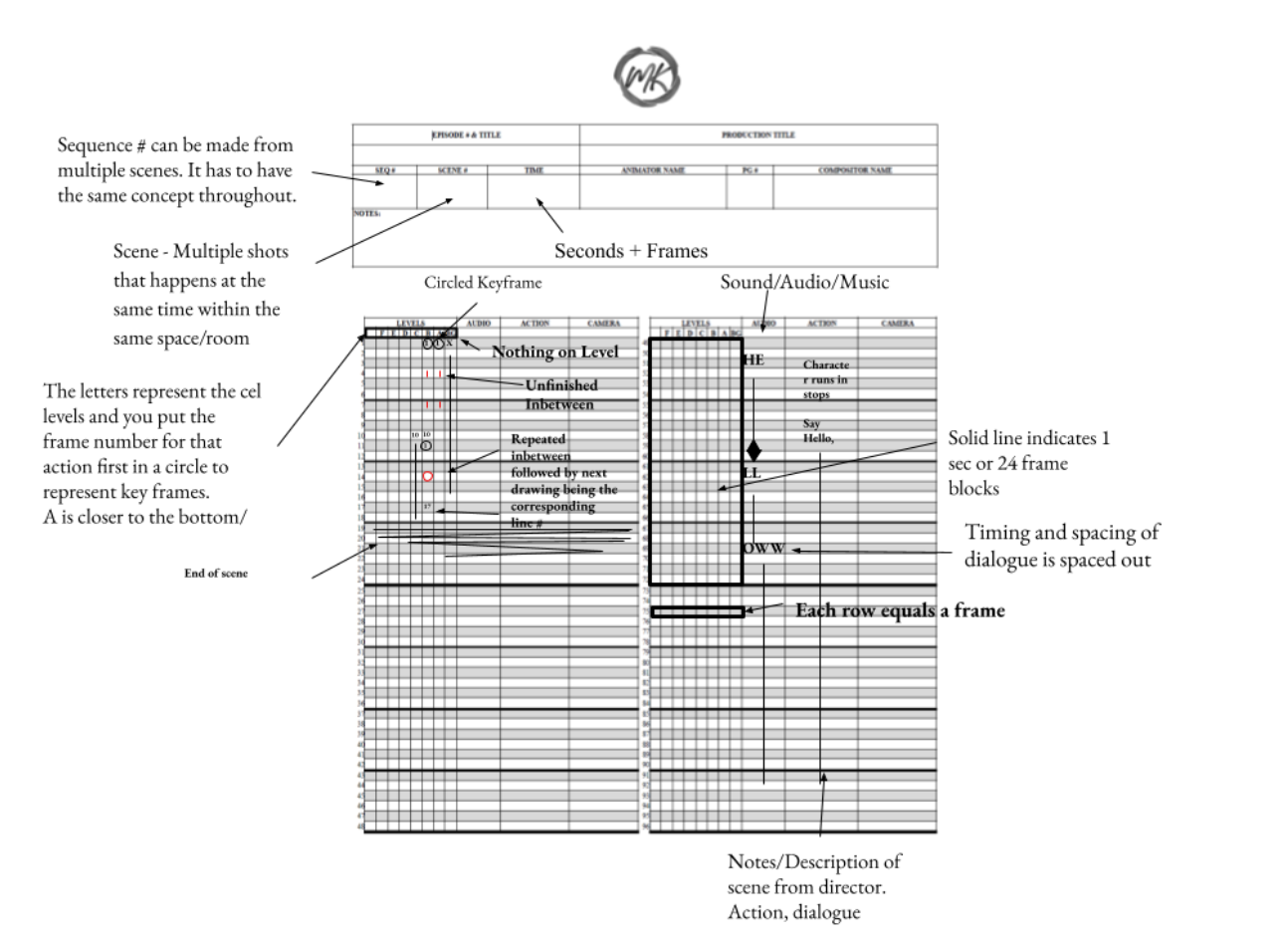
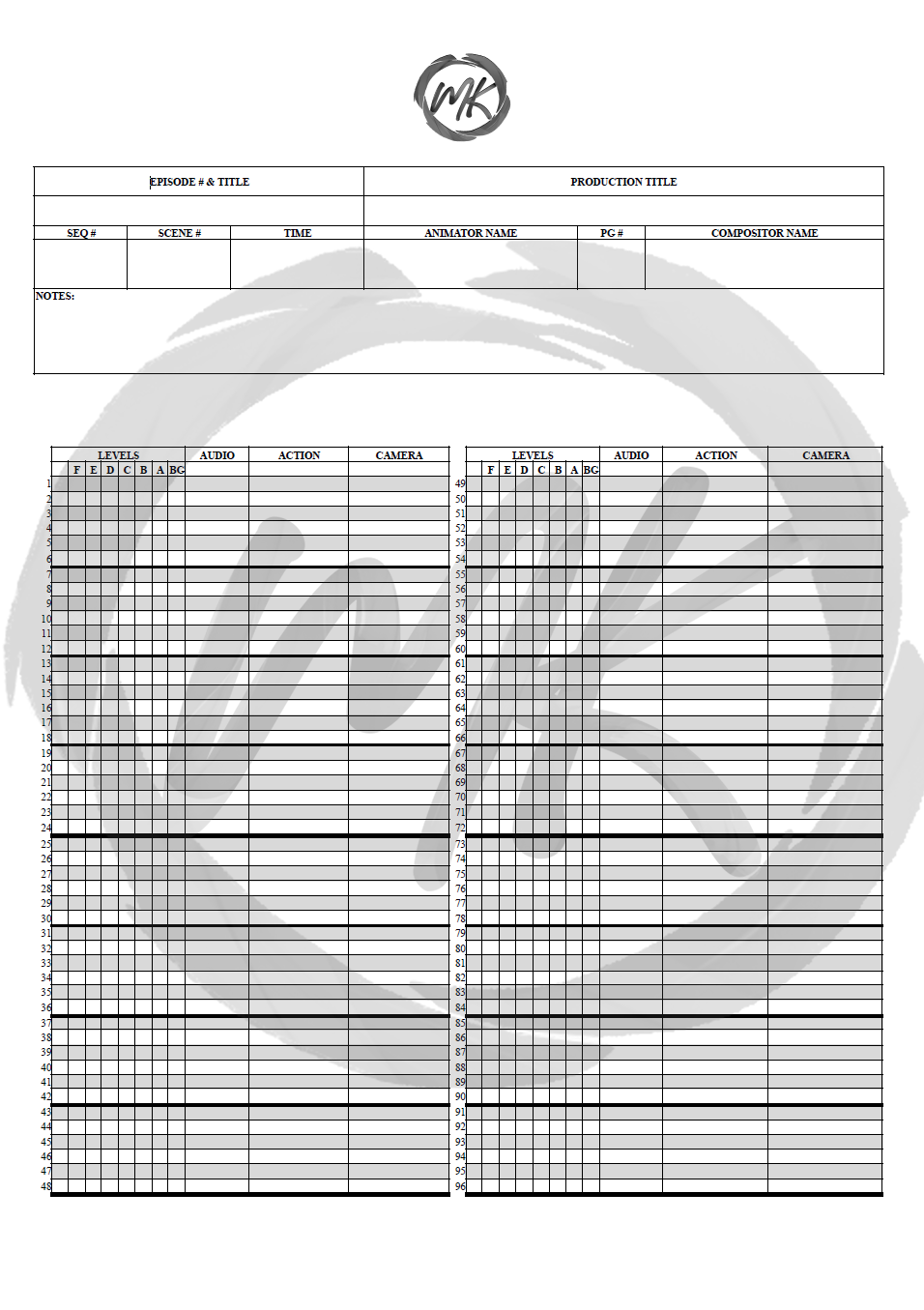
I decided to create my own animation timesheet that is designed specifically to be left-hand-friendly. This layout feels the most natural for me to use because it keeps the camera, action, and audio columns on the right side of the page. That way, when I'm writing with my left hand, my hand doesn't cover the information I need to reference while filling out the sheet. This is also why, although I adopted the Japanese letter method for levels, I kept the columns in the Western left-to-right order for easier readability. The MK Studio Timesheet combines elements from both Western and Japanese animation timesheets to create a format that best suits my workflow. In the header, I included the production information commonly found on both styles of timesheets, along with a dedicated notes section for additional production details. The main section features a 96-frame layout, split into two 48-frame columns so that a full four seconds of animation at 24 fps can fit comfortably on a single page while remaining easy to read. The level columns are followed by the audio, action, and camera sections, making it simple to track timing and production notes without obstructing them while writing.